How Can Operations Managers Use AI to Break Down Start-of-Shift Notes and Draft a Clean End-of-Shift Handoff?
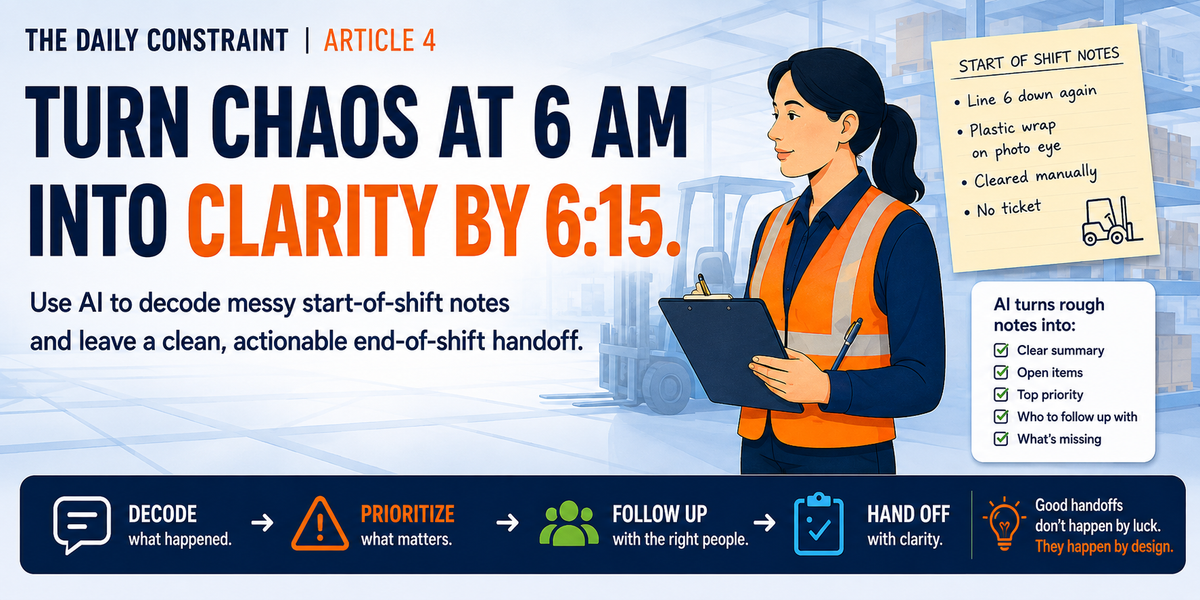
This is the fourth post in our series on becoming an irreplaceable operations manager. In past posts, we've covered turning floor notes into a to-do list, getting one update out to every stakeholder who needs it, and asking Gemba questions sharp enough to actually find the problem. This post takes on the fourth item on our list: breaking down the notes you inherit at the start of a shift and drafting the ones you hand off at the end.
The night shift lead left you three sentences and a shape drawn in the corner that might be a forklift. Might be a crime scene. Hard to say.
That's not artistic expression. That's 6 a.m., a fifteen-minute overlap window, and someone who just wanted to go home.
You've read it twice already and you still don't know if line 6 went down for scheduled maintenance or because nobody wanted to fight with the jam again.
Welcome to shift notes. Two documents, written at the two worst possible times of day to write anything clearly. Unfortunately, these shift notes set the tone for your entire shift.
AI can't fix the fact that people write bad notes when they're tired and rushed. Nobody's fixing that. What it can do is help you get through both ends of the handoff faster. The note you inherit. And the one you leave behind.
None of this replaces you walking the floor. It just means you stop losing the first fifteen minutes of your shift to somebody else's handwriting, and the last fifteen minutes to your own exhaustion.
The Note You Get Is Never the Note You Need
Incoming shift notes between you and the previous shift operations manager assume shared context you don't have. They skip the WHY behind the what. And somewhere between “restocked the printer” and “line 6 down again,” the one line that actually matters gets buried.
You already know the four-part prompt structure from earlier in this series: role, data, constraints, output. It works here too. Except this time you're not creating information, you're extracting what's buried in someone else's shorthand and flagging outright what's missing.
Start with three quick steps:
• Grab the actual note. Handwritten, typed, texted, doesn't matter.
• Snap a photo or copy the text.
• Drop it into your AI chat along with the prompt below.
Then hand AI this:
You are an operations management assistant helping me process a shift handoff note. I am giving you the raw start-of-shift note from the previous shift lead, written by hand or dictated in a rush. Treat every line as something that might be incomplete.
Structure your output using the exact sections below:
1. WHAT HAPPENED
- A plain-language summary of what actually occurred last shift, in the order it happened if the note makes that clear.
2. STILL OPEN
- Anything unresolved that needs my attention or a decision from me today.
- For each item, note whether it's urgent (needs action in the first hour) or can wait.
3. TOP PRIORITY
- The single most urgent item on this list, and one sentence on why it outranks everything else.
4. WHO I NEED TO FOLLOW UP WITH
- Based on what's in this note, list anyone I likely need to contact today: maintenance, quality, the site leader, HR, a specific operator, anyone named or implied.
- For each person, say what they need from me and how urgent that follow-up is.
- Flag anything that looks like it needs to go to Quality or EHS specifically. Those two categories don't wait.
5. UNCLEAR OR MISSING
- Anything in the note that's ambiguous, contradicts standard work, or is missing information you'd expect to see (headcount, safety incidents, quality holds).
- Do not guess at anything not stated in the note. Flag it as missing instead.
Caution. AI will assume connections that don't exist if you let it. If the note says “line 6 issue again” without specifying what kind, don't let AI tell you it's the same jam from Tuesday. That confirmation happens on the floor. Not in the chat window. The same goes for the follow-up list: AI is guessing at who typically owns which kind of issue, not reading your org chart. Correct it once, and it gets closer the next time you feed it the same names and roles.
If the Note Doesn't Say Who to Loop In
Sometimes the note describes the problem and stops there. No names, no “call so-and-so.” That's not a failure of the note. That's just how people write when they're rushing out the door.
Teach AI your actual escalation paths once, the same way an earlier post in this series taught you to build a standing profile for each stakeholder. Tell it plainly: safety incidents and near misses go to your EHS lead within the hour. Quality holds go to the quality manager before the line restarts. Anything that could affect a downstream line gets a heads-up to that OM directly, even if it's a one-line message.
Feed AI that structure once, and it starts sorting new notes into the right follow-up list without you spelling it out every single morning.
What Comes Back
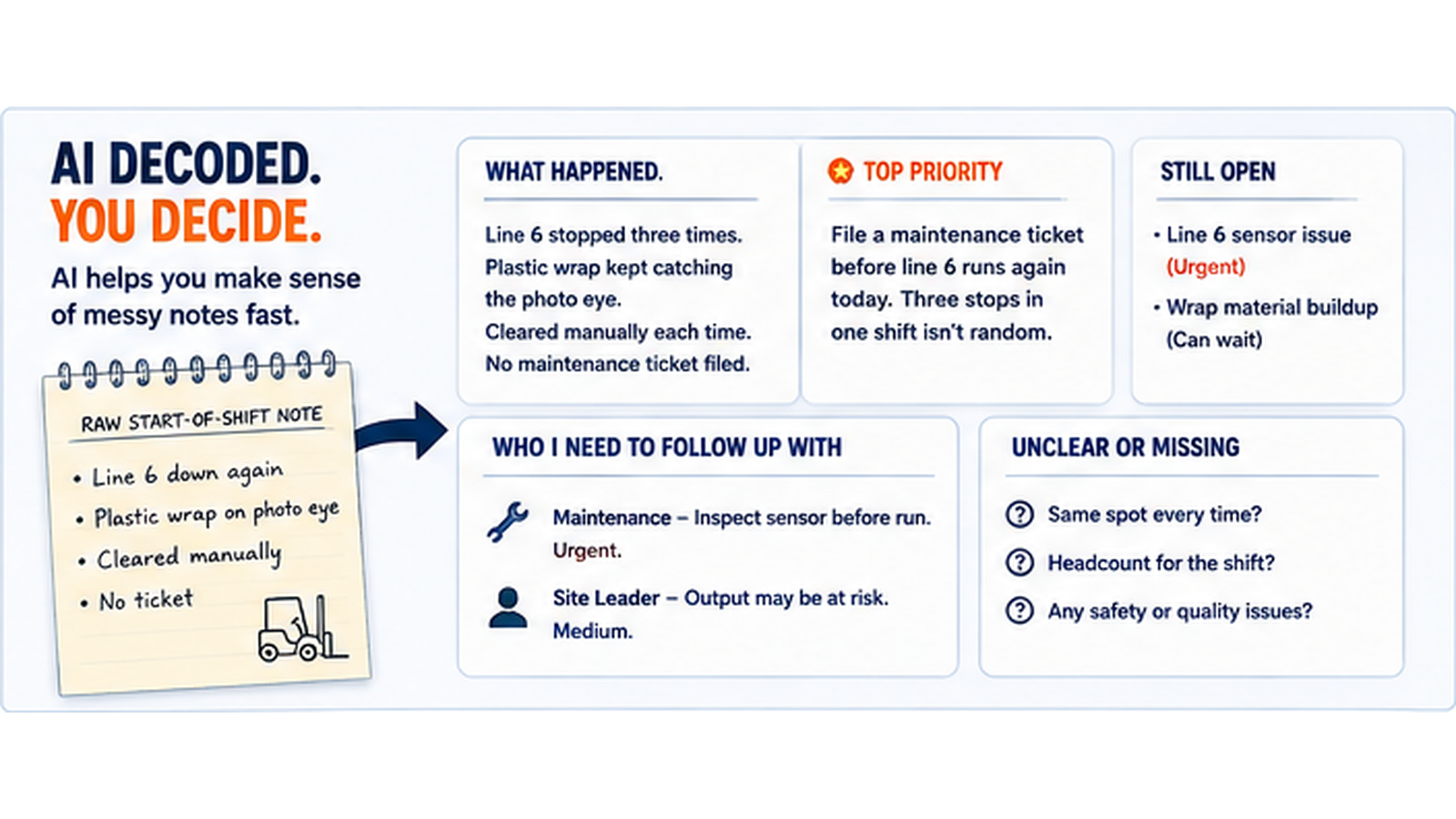
Take the line 6 note from the top of this post and run it through the decode prompt. Here's roughly what you'd get back.
• WHAT HAPPENED: Line 6 stopped three times overnight. Plastic wrap kept catching the photo eye. Cleared manually each time. No maintenance ticket filed.
• TOP PRIORITY: File a maintenance ticket before line 6 runs again today. Three stops in one shift isn't random. That's a pattern.
• WHO I NEED TO FOLLOW UP WITH: Maintenance, to inspect the sensor before it fails mid-run instead of between runs. Your site leader, if this pushes today's output below target.
• UNCLEAR OR MISSING: The note doesn't say whether the wrap is catching at the same spot every time or moving around. Worth asking the operator directly.
One note. Four things you can act on in the first five minutes, instead of five minutes spent just figuring out what the note was trying to tell you.
Draft the Note the Next Person Actually Needs
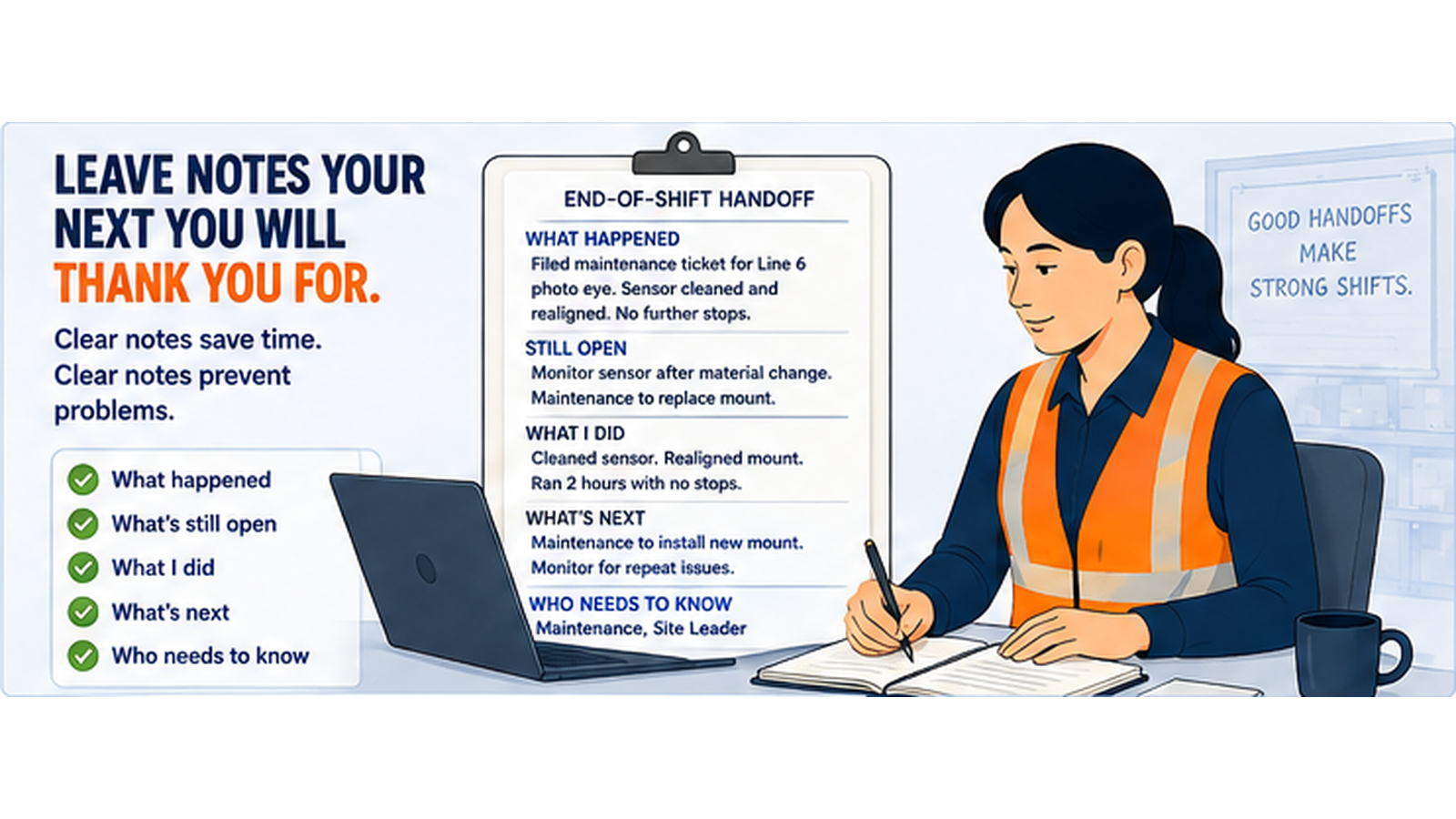
By the end of your shift, you're the tired one. You want your coat on and your car started. So you write the handoff note the same way the night lead wrote yours: fast, incomplete, and half in your own private shorthand.
Same four-part structure, opposite direction. This time you're feeding AI the raw material from your day and asking for the finished note.
Before you open the chat, gather:
• What actually happened, in order, in a few sentences.
• Decisions you made and the reason behind each one.
• Unresolved issues and who owns them next.
• Any information the next shift needs to see before they do anything else, especially safety flags or near misses.
Then use this prompt:
You are an operations management assistant. I am giving you a rundown of everything that happened during my shift. Draft a clean, professional end-of-shift handoff note.
Structure it as:
1. SHIFT SUMMARY
- Two to three sentences on how the shift went overall.
2. DECISIONS MADE
- What was decided and why, briefly.
3. OPEN ITEMS
- Anything unresolved, who owns it next, and any deadlines.
4. WATCH THIS
- Identify and specify the ONE THING the next shift lead needs to know before they do anything else.
5. STILL WAITING ON
- Anyone I'm expecting to hear back from before this is fully resolved (maintenance, quality, a vendor, another shift), and what happens if I don't hear from them by a specific time.
Keep it scannable. Short sentences. No filler. Use only the information provided. Do not add anything.
A clean handoff note isn't about sounding polished. It has real operational impact. It's the difference between the next shift losing ten minutes to confusion and losing an hour to a mistake nobody flagged in time.
Ten minutes. That's usually the gap between a good handoff and a bad one. More importantly, a bad first 10 minutes sets the tone for the entire day. If the start of shift isn't smooth, you'll spend the entire day putting out brush fires and chasing events that have already happened.
Fine-Tune It Fast
If the first draft doesn't fit what actually happened, say so:
• “Give me the follow-up list first. I need to know who to call before I read the rest.”
• “Cut this down to the two things that need to happen in the first ten minutes.”
• “Rewrite the follow-up list assuming I only have five minutes before my first meeting.”
• “Add a severity flag to each open item: red, yellow, green.”
The more specific your correction, the sharper the next draft gets. That's true of every prompt in this series, not just this one.
One Loop, Not Two Headaches
These two prompts aren't standalone party tricks. They're the front and back door of the same daily loop, and they feed the rest of what you're already building in this series.
An open item from your end-of-shift note is often the exact thing worth turning into one of the Gemba questions from the last post. A decision you flagged for escalation is the seed of the stakeholder email you learned to draft two posts back. Once the notes are structured, the rest of your day gets easier to structure too.
You're not doing more work here. You're doing the same work you already do, just with less time lost decoding handwriting and less time lost staring at a blank note at the end of a twelve-hour shift.
Next Up in the Series
We're four prompts into the series now. If you're just catching up: post one turned your morning notes into an action plan, post two got one update out to everyone who needed it without three rewrites, and post three sharpened your Gemba questions enough to find the real problem instead of a decent guess.
Next up, we tackle what to do when a process breaks down mid-shift and you need a workaround before it costs you the whole line.
Try This on Your Next Handoff
Try this on your next handoff. Both directions.
Don't tell me the note reads better. Instead, comment below whether the next shift wasted less time in their first ten minutes figuring out what happened, and whether a cleaner start sets the tone for a smoother day.
Don’t forget to subscribe to TheDailyConstraint so you are always the first to know about new AI tactics, tips, and treasures you can use to improve processes, enhance productivity, and make yourself an irreplaceable force within your operations team.